
To find past papers, you have two main options:
A. By topic:-
Log in to ExamRevision.
-
Choose the subject you want.
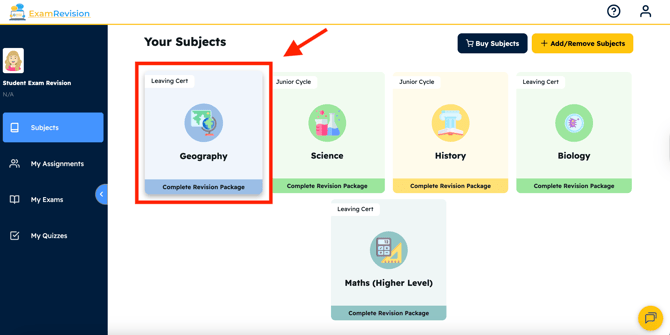
-
Select your preferred topic within the subject.
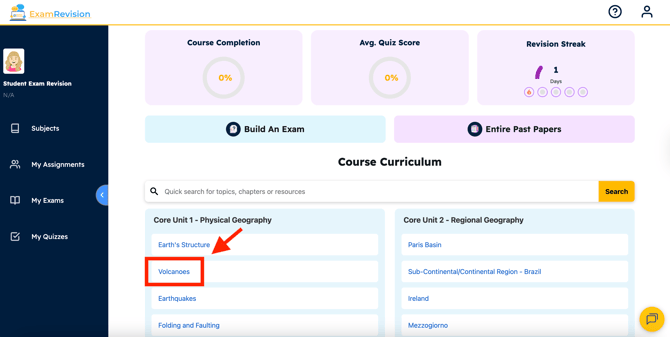
-
Select the Exam Questions tab on the top right of the screen.
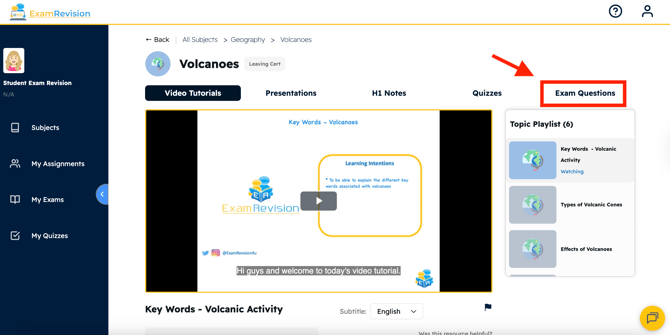
- Browse and open the papers you want to revise. You can also use the 'Build An Exam' feature to view all exam paper questions across topics.
B. Entire past papers:
-
Log in to ExamRevision.
-
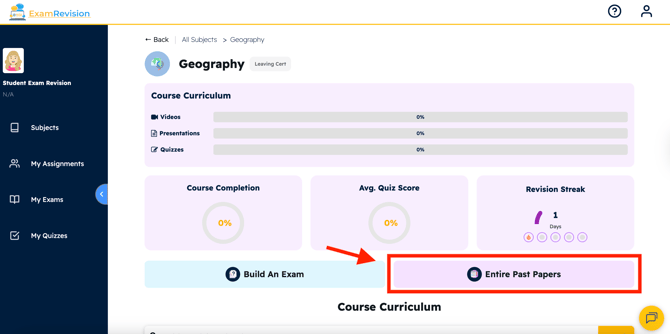
Choose the subject you want.
- Click the purple button labelled 'Entire Past Papers' to access complete papers from previous years.
Video Tutorial👇