
To add your subjects, just follow these steps below:
- Log in to your account.
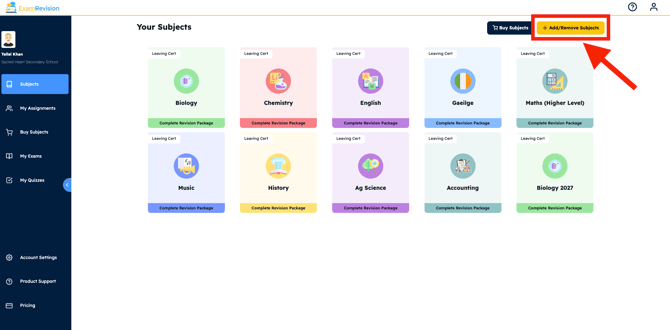
- Click the 'Add More Subjects' button in the top right-hand corner.
- Select the subjects you want to add and click 'save'.
Your chosen subjects will then appear on your dashboard. You can remove subjects the same way if needed.
Video Tutorial👇