
To view students in your class on ExamRevision:
-
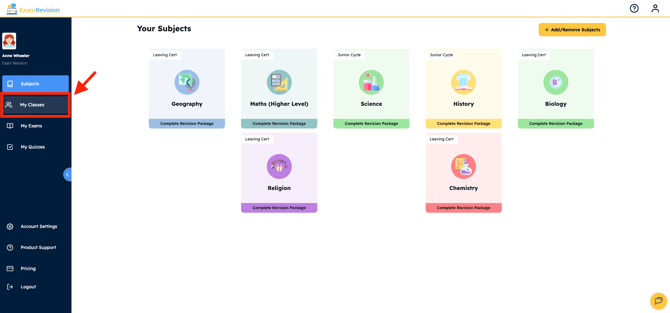
Log in to your account & go to the My Classes tab in the left side bar.
-
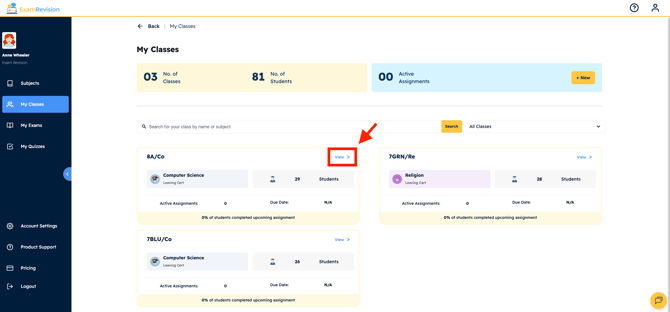
Find the class you want to check and click View.
-
Open the Students tab.
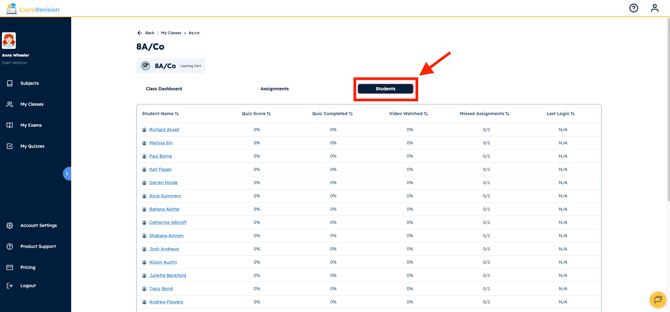
Here, you’ll see a full list of the students enrolled in that class.
Video Tutorial👇