
To change your school name or year:
-
Log in to your ExamRevision account.
-
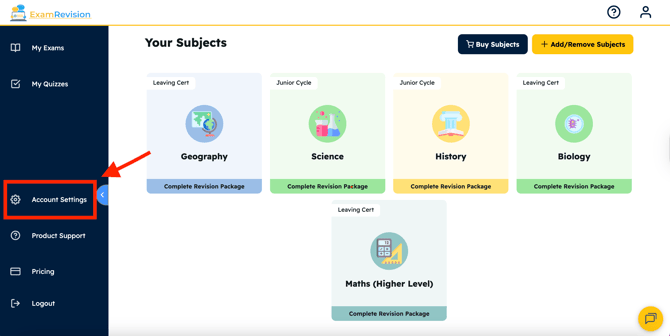
Select Account Settings from the left sidebar; you might need to scroll down.
-
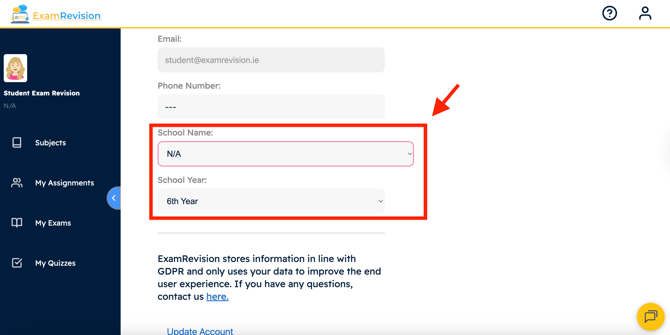
Under Phone Number, edit your School Name and Year.
-
Tap Update Account.
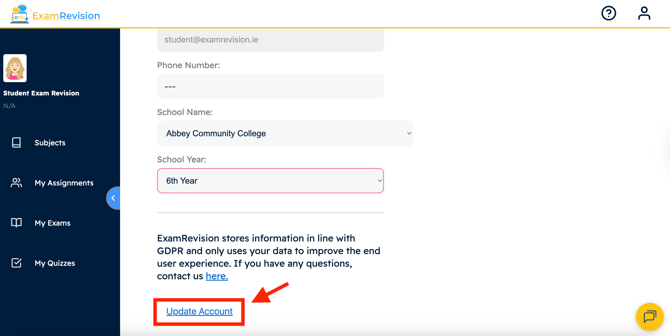
If you refresh the page, you will see your new school name under your name in the top left-hand corner.
Video Tutorial👇