
To cancel your ExamRevision subscription:
-
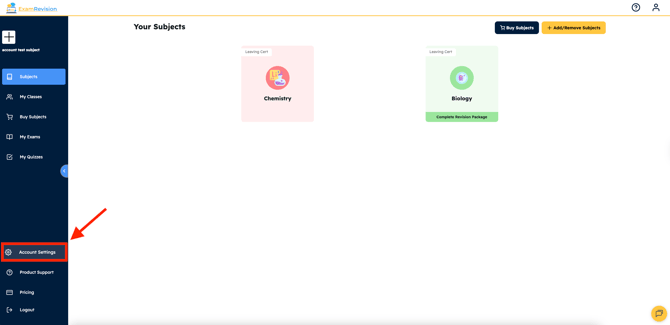
Log into your ExamRevision account. In the left sidebar click on Account Settings.
-
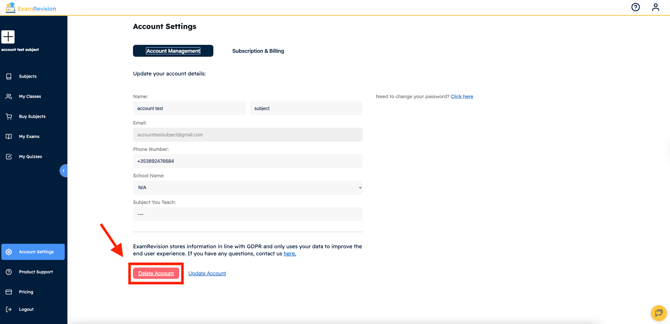
If you’re on mobile, scroll to the bottom of the page. Click Delete Account.
-
Confirm when prompted.
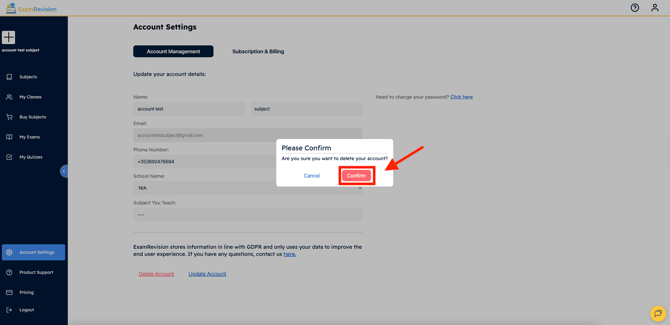
Once confirmed, your account will be deleted.
💡 Note: If you run into any issues or can’t find the delete option, please contact our support team through the Contact Us button at the bottom of the site!
Video Tutorial 👇