
To view your assignment progress:
-
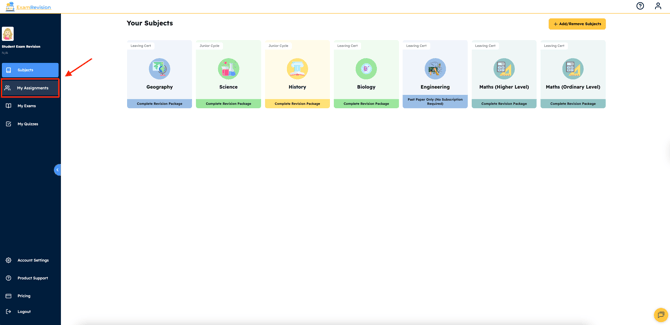
Log in to your account & tap on the My Assignments tab.
- Here you will see all the assignments that have been assigned to you by your teachers. The things highlighted and underlined in blue are the resources you have to complete for the assignment.
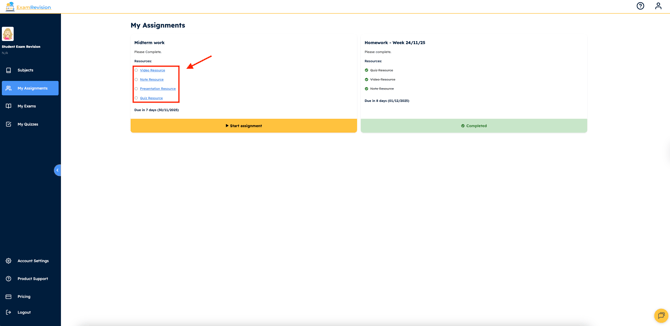
- For videos, presentations and notes, you must complete 80% of the content for it to be marked complete and for quizzes, you must complete all questions and receive your score. If you have completed a resource and it is not showing up as complete please REFRESH the page as this usually resolves issues.
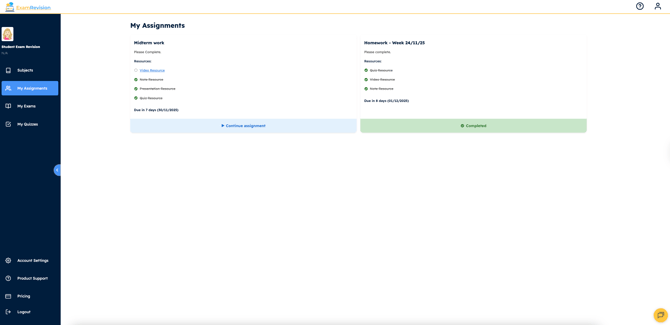
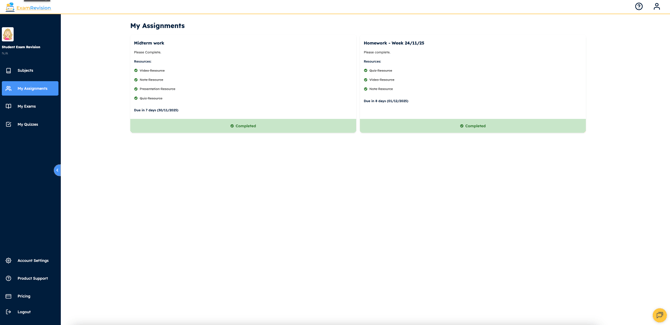
- Once all resources are completed, the assignment will automatically come up in green as completed on both your dashboard and your teacher's dashboard.
Video Tutorial👇